
Landscaping
Landscaping with time for the green
Terrace, fence, planting: the work runs outside while the quotes pile up inside. craftflowOS turns a photo and a few words into the draft and plans your team.
What helps you most
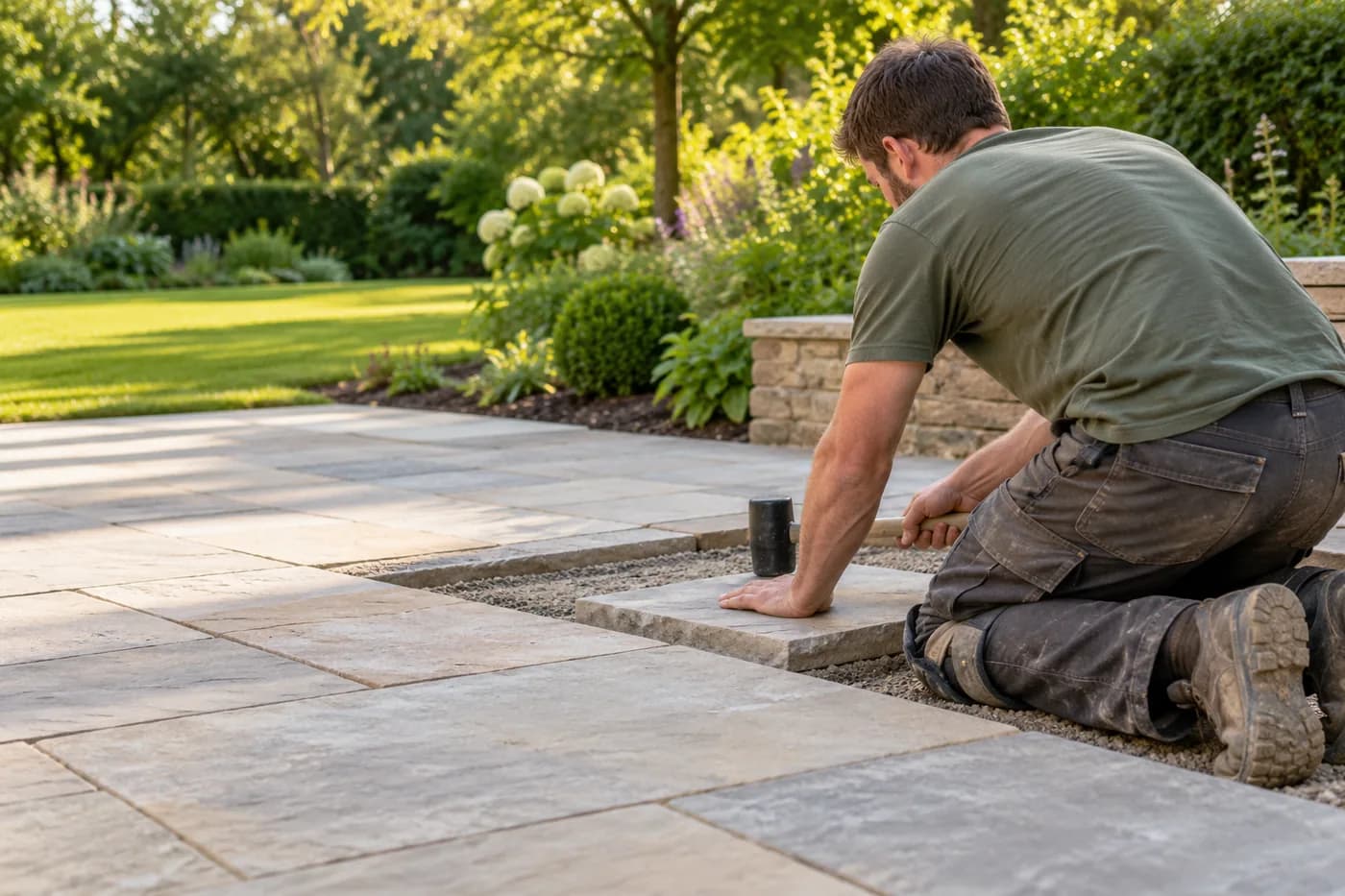
“Terrace behind the house, twenty-eight square metres of paving, gravel base, edging along the bed side.”
Sound familiar?
“I've seen the garden, but the quote only goes out in a week.”
How craftflowOS helpsYou photograph the garden and say what's to be built. craftflowOS drafts the quote while you're still on site.
“Two crews, four sites, and the weather upsets every plan.”
How craftflowOS helpsWhen you move an appointment in the team calendar, your team sees the change right away.
“The terrace took more hours than I quoted.”
How craftflowOS helpsYour team clocks in on the project. You see how many hours a terrace takes and calculate the next one more precisely.
Just say it into your phone
Photo and voice note become a draft quote with line items from your catalog. You check it and send it.



“Terrace behind the house, twenty-eight square metres of paving, gravel base, edging along the bed side.”
- Lay paving, 28 m²€2,380.00
- Gravel base, 28 m²€896.00
- Set edging stones€540.00
A day with craftflowOS
From the first job of the morning to the end of the day: this is how a working day runs when craftflowOS is along. You talk, craftflowOS writes it down.
- Morning
Crews assigned
In the calendar you see which team lays paving today and who takes care of planting.
Calendar & team - Late morning
Terrace recorded
A photo of the garden plus: twenty-eight square metres of paving, gravel as sub-base. The draft is ready.
Quote by photo - Midday
Hours clocked
Everyone clocks in and out on the project. You see how many hours the terrace really takes.
Time tracking - Afternoon
Progress recorded
Sub-base done, edging set: you say it out loud, and with a photo it lands on the project.
Job site documentation - End of day
Invoice written
When the paving is laid, the invoice comes from the project data.
Invoices & reminders
In depth
What matters in landscaping between season, area and weather
Seasonal planning and maintenance contracts
In a garden there are jobs that only make sense at a certain time: planting, pruning, lawns, leaf clearing. If you think through the year ahead, you spread the load instead of having everything at once in spring. A maintenance contract turns that into work you can plan: the customer knows what they get, and you know when you come. Record which services are included, how often you come and what costs extra. Agree beforehand what happens in persistent rain or drought. In the shared calendar of craftflowOS your team sees its appointments, and reminders go out automatically, so the next visit does not slip through.
Calendar & teamMeasuring areas
In landscaping almost everything revolves around area: lawn, paving, beds, paths, terraces. But a plot is rarely a clean rectangle, and estimates quickly turn into wrong quantities. Measure the areas on site, break irregular shapes into simple ones and note slope, access, what exists and everything that has to go. Slope and access for machines often decide more about the effort than the square metres themselves. Photos record the condition before you start. With Quote by photo you take a picture of the area and describe the work. craftflowOS suggests line items from your catalog, and you check quantities and prices and add what is missing.
Quote by photoRescheduling when the weather stops work
Outdoors the weather decides whether work happens. Persistent rain makes ground unusable, frost stops paving, a storm rules out tree work. If you allow for that, you lose less time. Keep work ready for bad days that is possible anyway: preparing material, servicing machines, writing quotes. Decide early in the morning whether the crew heads out, and tell the customer at once when an appointment changes. An honest "not today, we will come tomorrow" goes down better than silently staying away. In the shared calendar of craftflowOS your team sees its appointments, and does not learn about a change only on the drive.
Calendar & teamWhat helps you every day
The functions that fit your trade best. Each one has its own page.
- Quote by photoWork goes on outside while the quote piles up inside? With photo and voice it is ready in the garden.See the function
- Calendar & teamYour calendar shows which crew works where.See the function
- Time trackingActual hours per project, no paper.See the function
- Job site documentationPhotos and notes land on the project, craftflowOS writes the report.See the function
Fair pricing, no catch
Start small and add what you need. Cancel monthly if you pay monthly.
With crews in the field: the Team plan brings scheduling and time tracking for your team.
At launch: try free for 30 daysAt launch: try free for 30 days, no setup fee. All prices excl. VAT.
See all plansStarter
For getting startedfrom€19per month
- Quotes & invoices
- E-invoicing & GoBD
- Calendar, customers & projects
Team
For small teamsfrom€149per month
- All AI features
- Job scheduling & time tracking for the team
- App for every fitter
Questions from the workshop
Can I start a quote in the garden with a photo?
Yes. Take a photo, say briefly what needs doing, and craftflowOS suggests the items from your catalogue. You check and send it.
Does the app work on the property without signal?
Yes, for the essentials: you can save appointments, site documentation and quote drafts even without signal. They are sent as soon as your phone has a connection again.
How do I schedule my crews?
In the shared calendar, which holds appointments and availabilities of your team. Reminders go out automatically, and you can book additional seats at any time.
How do I record hours per project?
Clocking in, out and breaks are recorded in the app on the right project. You approve the times and export them for payroll.
Where do the photos of the properties go?
Your data is stored on servers in Germany and processed in line with GDPR. The app only uses camera and microphone for photos and speech, and in your system settings you decide what it may do.
Still have a question about setting up or using craftflowOS day to day? The help centre has answers, and you can write to us directly. Go to help
Related trades
Businesses often work hand in hand. See how craftflowOS helps in the neighbouring trades.
Construction & shell building
Documentation, hours and appointments per site.
Facility services
Answer calls, plan rounds, record what's done.

Building cleaning
Plan jobs, track hours, keep customers in view.
Out in the green, not at the desk
craftflowOS does the paperwork, you stay with your work.